

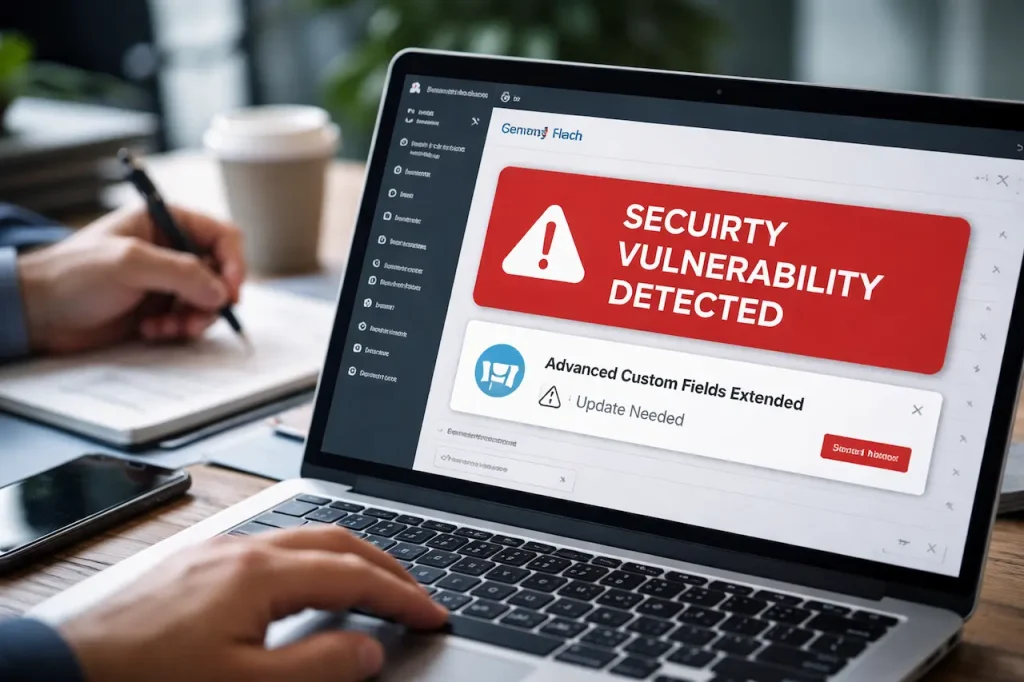
WordPress is trusted by millions of businesses, developers, and publishers because of its flexibility. Plugins like Advanced Custom Fields Extended help teams build custom layouts, dynamic content, and advanced site functionality without rewriting core code.
However, flexibility also increases risk.
When a widely used plugin contains a security vulnerability, the impact can be immediate and severe. Many site owners only become aware of these risks after something breaks, traffic drops, or warnings appear in search tools.
This article explains the Advanced Custom Fields Extended plugin vulnerability in clear and simple terms. It covers what the issue is, how it happens, why it matters, and what real site owners have experienced. The goal is not fear. The goal is awareness and prevention.
What Is Advanced Custom Fields Extended and Why It Is Widely Used
Advanced Custom Fields Extended builds on top of the core Advanced Custom Fields plugin. It allows developers and site owners to create advanced content structures, custom blocks, dynamic layouts, and conditional logic without modifying WordPress core files.
It is commonly used for custom landing pages, content-heavy websites, membership platforms, and complex editorial workflows. Because the plugin integrates deeply with WordPress functionality, it often operates with elevated access.
This deep integration is what makes the plugin powerful, but it also increases the impact of security flaws when they exist.
Understanding the Vulnerability in Simple Terms
A vulnerability occurs when a plugin allows actions that should not be possible. In the case of Advanced Custom Fields Extended, certain configurations allowed unauthorized users to access functionality they should not have been able to reach.
This may allow actions such as modifying data, bypassing access checks, or injecting harmful code. The most concerning part is that these actions are not always visible to the site owner right away.
Many attacks happen quietly, often going unnoticed until clear damage appears.
Why WordPress Plugin Vulnerabilities Are High Risk
WordPress plugins extend core functionality, but they also increase the number of potential entry points for attackers.
When a vulnerability exists, attackers can automate scans and target large numbers of sites at once. A single weakness can affect thousands of websites running the same plugin version.
Search engines and hosting providers take these issues seriously because compromised sites put users at risk and damage trust across the platform.
A Real Client Scenario That Shows the Risk
A small agency built a content-rich website for a local service business. The site relied on Advanced Custom Fields Extended to manage custom service layouts and structured content.
Everything worked normally until issues began appearing. Pages started redirecting unexpectedly. Admin access was interrupted. Search Console later reported suspicious behavior.
The problem was not hosting or passwords. A plugin vulnerability allowed unauthorized access through exposed functionality. The site had not been updated in several months.
This pattern is common and often avoidable.
How Vulnerabilities Are Exploited in the Real World
Most attacks are automated rather than targeted.
Attackers typically scan the web for known plugin versions, compare them against disclosed vulnerabilities, and send automated requests to exploit weaknesses. These attacks do not require knowledge of your business or site content.
If your plugin version is vulnerable, your site can be affected simply by being online.
How This Affects SEO and Search Visibility
Search engines prioritize user safety.
When a site is compromised, several issues may follow. Malware warnings can appear in search results. Pages may be injected with spam content. Rankings may drop suddenly, and manual actions can be applied.
Even after cleanup, recovering trust and visibility can take time. This is why security issues often turn into SEO problems.
Signs Your Site May Be Affected
Not all security issues are obvious at first. Some warning signs are subtle.
These may include unexpected admin users, unexplained file changes, slower site performance, new redirects, or alerts in Search Console. Some sites even begin ranking for irrelevant keywords.
Ignoring early signs often leads to larger problems later.
Why Updates Alone Are Not Always Enough
Updating the plugin is an important step, but it is not always the final solution.
If a site was compromised before the update, malicious code may still exist. Database changes may remain, and backdoors can be left behind. This is why patching must be followed by verification and cleanup.
Security requires both fixing the cause and confirming the impact is removed.
How to Respond Safely If You Are Affected
If you suspect your site may be affected, a structured response is important.
First, isolate the issue by checking plugin versions, reviewing recent changes, and scanning for malware. Then focus on restoring trust by updating all plugins and themes, changing credentials, removing unauthorized users, and cleaning infected files.
Accurate documentation and recent backups are extremely valuable during this process.
Preventive Practices for WordPress Site Owners
Prevention reduces risk significantly when done consistently.
Key practices include:
- Keeping plugins and themes updated
- Removing unused plugins
- Monitoring security alerts
- Limiting user permissions
- Maintaining regular backups
Security is not a single action. It is an ongoing habit.
How Developers and Agencies Should Think About Plugin Risk
For developers and agencies, security should be part of architecture decisions.
Before using any plugin, it is important to review maintenance history, update frequency, permission scope, and how deeply it integrates with WordPress. Reducing exposure wherever possible lowers long-term risk.
Trusting plugins blindly is no longer safe in modern WordPress environments.
Why Vulnerabilities Affect Business Beyond Technology
A compromised website impacts more than code.
It affects customer trust, lead generation, revenue, brand credibility, and long-term search performance. This is why even non-technical business owners need to understand basic security risks.
Website security is directly connected to business stability.
Advanced Custom Fields Extended and Responsible Use
Advanced Custom Fields Extended remains a powerful and useful tool when used responsibly.
Security issues do not automatically mean a plugin is bad. They mean risk must be managed carefully. Staying informed, applying updates promptly, monitoring site behavior, and auditing access regularly all help reduce exposure.
Final Thoughts on WordPress Plugin Vulnerabilities
Plugin vulnerabilities are part of modern web reality. The real risk is not using plugins, but ignoring how they behave over time.
The Advanced Custom Fields Extended vulnerability highlights the importance of awareness. Understanding how these issues occur allows site owners to protect their websites before serious damage happens.
Conclusion
The Advanced Custom Fields Extended plugin vulnerability highlights a broader reality of modern WordPress websites. Flexibility and customization bring power, but they also introduce responsibility.
Security issues rarely appear without warning. They are often the result of delayed updates, lack of monitoring, or an assumption that widely used plugins are always safe. When vulnerabilities surface, the damage is not limited to technical systems. It affects visibility, trust, and business continuity.
Understanding how plugin vulnerabilities work allows site owners, developers, and agencies to respond with clarity instead of panic. Awareness, preparation, and consistent maintenance remain the strongest defenses.
WordPress security is not about fear. It is about discipline.
Why Choose Dexora Digital for WordPress Security Guidance
Dexora Digital works with businesses, developers, and agencies that rely on WordPress for growth, visibility, and operations. Our focus is not just fixing problems after they appear, but helping teams understand why issues happen and how to prevent them.
We support websites that use advanced plugins, custom fields, and dynamic architectures where security risks are often higher. Our approach is based on practical experience with real incidents, not theory alone.
What we do includes vulnerability analysis, plugin risk assessment, recovery guidance after security events, and long-term site stability planning. We work with content sites, service businesses, ecommerce platforms, and custom WordPress builds.
The goal is not complexity. The goal is confidence.
Frequently Asked Questions
1. What is the Advanced Custom Fields Extended plugin vulnerability
It refers to security weaknesses that allowed unauthorized access or unintended actions within certain versions or configurations of the plugin.
2. Is Advanced Custom Fields Extended unsafe to use
No plugin is inherently unsafe, but any plugin can become risky if vulnerabilities are not addressed through updates and monitoring.
3. How do attackers find vulnerable WordPress plugins
Attackers use automated tools to scan websites for known plugin versions that match public vulnerability disclosures.
4. Can this vulnerability affect small websites
Yes. Automated attacks do not target business size. Any site running a vulnerable version can be affected.
5. Does updating the plugin fully fix the issue
Updating fixes the vulnerability, but it does not always remove damage if the site was already compromised.
6. How can I tell if my site was exploited
Signs include unexpected admin users, modified files, redirects, malware warnings, or unusual Search Console alerts.
7. Can plugin vulnerabilities impact SEO
Yes. Compromised sites may lose rankings, show spam pages, or trigger security warnings in search results.
8. Should I remove Advanced Custom Fields Extended
Removal is not always necessary. Proper updates, configuration, and monitoring are often sufficient.
9. Are free plugins more vulnerable than paid ones
Vulnerability risk depends on maintenance and code quality, not price.
10. How often should WordPress plugins be updated
Plugins should be updated as soon as security patches are released, after testing when possible.
11. Do hosting providers protect against plugin vulnerabilities
Hosting security helps, but it does not replace plugin-level responsibility.
12. Can a vulnerability affect only part of a site
Yes. Some vulnerabilities impact specific functions while others affect the entire site.
13. Should agencies audit plugins regularly
Yes. Regular audits reduce long-term security and stability risks.
14. Is a firewall enough to stop plugin exploits
Firewalls help, but they are not a complete solution.
15. How important are backups during security incidents
Backups are critical. They allow safe restoration when cleanup is required.
16. Can vulnerabilities reappear after cleanup
Yes, if root causes or backdoors are missed.
17. Does using many plugins increase risk
Each plugin adds complexity, which can increase risk if not managed properly.
18. Should non-technical site owners worry about this
Yes. Security affects business trust and visibility, not just code.
19. How can agencies explain security risks to clients
By focusing on impact, prevention, and clarity rather than technical jargon.
20. What is the best long-term approach to WordPress security
Consistent updates, monitoring, informed plugin use, and proactive maintenance

Local SEO and AI Search (AEO & GEO) Specialist.
Building search visibility that converts into qualified demand.
Today, businesses need visibility on Google Maps and AI powered search and websites that actually convert visitors into leads. I am a Local SEO, AI Search & Conversion Rate Optimization (CRO) Specialist with 5+ years of hands on experience helping businesses turn underperforming websites into high converting growth engines. My work combines Local SEO, Technical SEO, Semantic SEO, GEO/AEO, and conversion focused landing page optimization to ensure brands are discoverable and profitable.
My Experience
I have delivered SEO and web growth projects across the US, UK, Australia, Canada, Finland, Germany, and the Czech Republic, working in industries such as local businesses (electrician, hvac, cleaning, Real estate, healthcare, B2B, eCommerce, SaaS, and environmental services.
Some Results
>> 200+ websites audited globally
>> specifically worked with 100+ local business (80% from USA)
>> 80+ websites improved through technical SEO & schema fixes
>> 20+ businesses featured in Google AI Overviews (SGE)
>> Multi million impression growth for eCommerce & SaaS brands
Book Free Consultation: calendly.com/dexora/30min
