


Google gives every website owner direct access to how Google sees their site. Most businesses barely use it.
Google Search Console is free. It shows you exactly which queries are driving impressions and clicks, which pages have technical issues, and what Google thinks is wrong with your site. That is extraordinary intelligence — and most of the sites I audit are ignoring 80% of it.
This guide covers the four Search Console reports that drive the most SEO action, and exactly what to do with each one.
Technical issues found in Search Console are exactly what our technical SEO service fixes →
What Google Search Console Is — And What It Isn’t
Google Search Console (GSC) is a free tool from Google that shows you how your website is performing in Google Search specifically. It is not an analytics tool (that is Google Analytics). It is a search performance and health monitoring tool.
GSC shows you: which queries people used to find your site, which pages rank and get clicks, which pages have crawl or indexing errors, your Core Web Vitals performance, and any manual penalties or security issues Google has flagged.
What it doesn’t show: paid traffic, social traffic, or any data from non-Google search engines. For those, you need Google Analytics or a third-party tool.
Google Search Console — set up and verify your site →
If Google sees something wrong with your site, Search Console is where it tells you.
The Performance Report — Your SEO Traffic Intelligence
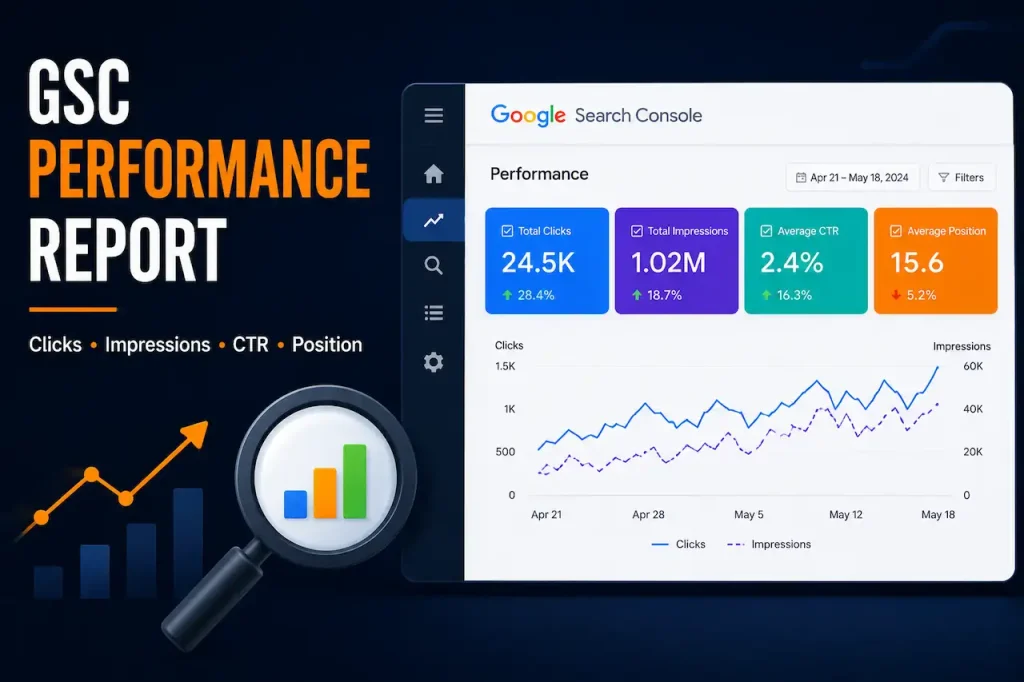
The Performance report is where most SEO analysis in GSC happens. It shows total clicks, total impressions, average click-through rate, and average position — all filterable by query, page, country, device, and date.
How to Find Your Quick-Win Keyword Opportunities
In the Performance report, click the Queries tab. Sort by Impressions. Look for queries where you have significant impressions (Google is showing your page) but low clicks. A page appearing 5,000 times but getting only 50 clicks has a 1% CTR — that is very low.
These are your quick wins. The page is ranking and being shown. But the title tag and meta description are not compelling enough to earn the click. Improving them can increase traffic from existing rankings without any additional content or link building.
How to Identify Pages That Should Be Ranking Better
Sort by Average Position. Filter for pages ranking in positions 4–20. These are pages on the verge of page 1, or just off page 1 on page 2. A targeted optimisation push — better content, improved internal linking, or a minor link-building effort — can push these to page 1 and multiply their traffic.
This is far more efficient than creating new content targeting new keywords when you have existing content that is close to performing.
How to Spot Keyword Cannibalisation
When you see two different pages appearing for the same query in the Performance report, you have keyword cannibalisation. Google cannot decide which page to rank and gives poor positions to both. Merge the pages or implement a canonical tag to resolve it.
The Index Coverage Report — Your Site’s Health Dashboard
The Index Coverage report tells you which of your pages Google has indexed and which have errors, warnings, or exclusions. It is the most technically important report in GSC.
What to Look for in Index Coverage
Errors: pages Google tried to index and couldn’t. Common errors include 404 Not Found, server errors (500), and redirect errors. Any significant number of errors needs immediate investigation.
Valid with Warnings: pages that are indexed but have issues (soft 404s, duplicate content). These pages rank poorly or not at all.
Excluded: pages Google chose not to index. This could be intentional (pages you’ve noindexed deliberately) or unintentional (Google deciding your content is too thin, duplicate, or low-quality). The second category is a serious issue.
Check the ‘Crawled — Currently Not Indexed’ subcategory specifically. These are pages Google visited but decided weren’t worth indexing. If important pages appear here, the content needs significant improvement.
How to Use Sitemaps in GSC
Submit your XML sitemap in the Sitemaps section. This tells Google directly which pages you want indexed. Any page in your sitemap that shows as an error in the Coverage report needs urgent attention.
Google Search Central documentation on using Search Console for indexing →
Core Web Vitals Report — Your User Experience Score
The Core Web Vitals report shows how your pages perform on Google’s three primary page experience metrics: Largest Contentful Paint (LCP — how fast the main content loads), Interaction to Next Paint (INP — how responsive the page is to interactions), and Cumulative Layout Shift (CLS — whether elements shift position as the page loads).
Pages with ‘Poor’ Core Web Vitals receive a ranking disadvantage. Pages with ‘Good’ scores receive a minor ranking advantage. The gap is not enormous, but in competitive niches it is meaningful.
How to Act on CWV Data
GSC identifies the specific URLs with CWV issues. Pass these to your developer with the specific metric and score. For LCP issues: typically images that are too large or not properly prioritised. For CLS issues: usually images without defined dimensions or ads that shift content. For INP issues: usually JavaScript that blocks user interaction.
Core Web Vitals improvements are part of the technical work that improves SEO performance →
The Links Report — Your Backlink Intelligence
The Links report shows your site’s top linked pages, top linking sites, and top linking anchor texts. GSC’s backlink data is less comprehensive than paid tools like Ahrefs — but it is direct from Google and completely free.
Use it to: identify which of your pages have the most external links (and therefore should distribute their authority through internal linking), identify unexpected or suspicious linking domains, and monitor whether your link-building efforts are showing up.
What Anchor Text Distribution Tells You
If a large proportion of your anchor text is the same exact phrase, that is an over-optimisation signal. Natural link profiles have diverse anchor text. If your anchor text report is dominated by one keyword, consider how you might diversify future links.
Common GSC Mistakes
Mistake: Setting it up and then never logging in. Why it happens: setup feels like the achievement. What it costs you: critical errors go unnoticed and unfixed for months.
Mistake: Only looking at total clicks and missing the query-level data. Why it happens: the top metrics look like the important ones. What it costs you: you miss the specific quick-win opportunities hidden in the Queries table.
Mistake: Ignoring the Coverage report. Why it happens: indexation feels like an automatic process. What it costs you: pages with real content and real potential may not be indexed at all.
Mistake: Not submitting an XML sitemap. Why it happens: it requires a small technical step. What it costs you: Google discovers your pages more slowly and may miss some entirely.
Search Engine Journal comprehensive GSC tutorial →
FAQ: Google Search Console for SEO
Q: Is Google Search Console free?
A: Yes. Google Search Console is completely free. All the features covered in this guide — Performance reports, Coverage reports, Core Web Vitals, Sitemaps, and Links — are available at no cost. Any website can verify and use Search Console immediately. There is no paid tier.
Q: How long does it take for Google Search Console data to appear?
A: GSC has a data delay of approximately 2–3 days. Data displayed for ‘today’ is usually from 48–72 hours ago. This is important to remember when evaluating the impact of changes — a page you optimised today won’t show updated performance data for 2–3 days minimum.
Q: How do I verify my site in Google Search Console?
A: You can verify ownership via: HTML file upload to your server, HTML meta tag added to your homepage header, DNS TXT record added to your domain registrar, Google Analytics tracking code (if already using GA4), or Google Tag Manager. The meta tag method is typically the easiest for WordPress and most CMS platforms.
Q: Why are my impressions high but clicks low in Search Console?
A: High impressions with low clicks indicates your page is appearing in search results (Google considers it relevant) but the title tag and meta description are not compelling enough to earn the click. This is one of the most common and highest-ROI quick wins in SEO — rewriting your metadata to be more specific and benefit-driven can dramatically increase click-through rate without any change to rankings.
Q: What does ‘Crawled – Currently Not Indexed’ mean in GSC?
A: This means Google visited the page but decided not to include it in its index. Common causes: thin or insufficient content, duplicate content that is similar to another indexed page, or pages that appear to be low quality. The fix is to significantly improve the content quality and depth, ensure it is unique, and resubmit the URL for indexing once improved.
The Data Is There. Most People Just Don’t Look at It.
Search Console is telling you, for free, exactly how Google sees your site. Which pages it thinks are important. Which it can’t access. Which aren’t good enough to index. Which keywords are bringing you to its attention.
The businesses that grow through SEO are not just the ones doing the most work. They are the ones who pay attention to the data and respond to what it shows them.
Set it up. Check it weekly. Act on what it shows you. That discipline alone will outperform most ‘SEO strategies’ that never look at the actual data.
A professional SEO audit uses GSC data as the starting point for every recommendation →
Google is trying to tell you what’s wrong with your site. Most businesses just aren’t listening.
Let us audit your GSC data and identify the quick wins your competitors are missing →
We build strategies from real Search Console data — not guesswork.

Local SEO and AI Search (AEO & GEO) Specialist.
Building search visibility that converts into qualified demand.
Today, businesses need visibility on Google Maps and AI powered search and websites that actually convert visitors into leads. I am a Local SEO, AI Search & Conversion Rate Optimization (CRO) Specialist with 5+ years of hands on experience helping businesses turn underperforming websites into high converting growth engines. My work combines Local SEO, Technical SEO, Semantic SEO, GEO/AEO, and conversion focused landing page optimization to ensure brands are discoverable and profitable.
My Experience
I have delivered SEO and web growth projects across the US, UK, Australia, Canada, Finland, Germany, and the Czech Republic, working in industries such as local businesses (electrician, hvac, cleaning, Real estate, healthcare, B2B, eCommerce, SaaS, and environmental services.
Some Results
>> 200+ websites audited globally
>> specifically worked with 100+ local business (80% from USA)
>> 80+ websites improved through technical SEO & schema fixes
>> 20+ businesses featured in Google AI Overviews (SGE)
>> Multi million impression growth for eCommerce & SaaS brands
Book Free Consultation: calendly.com/dexora/30min