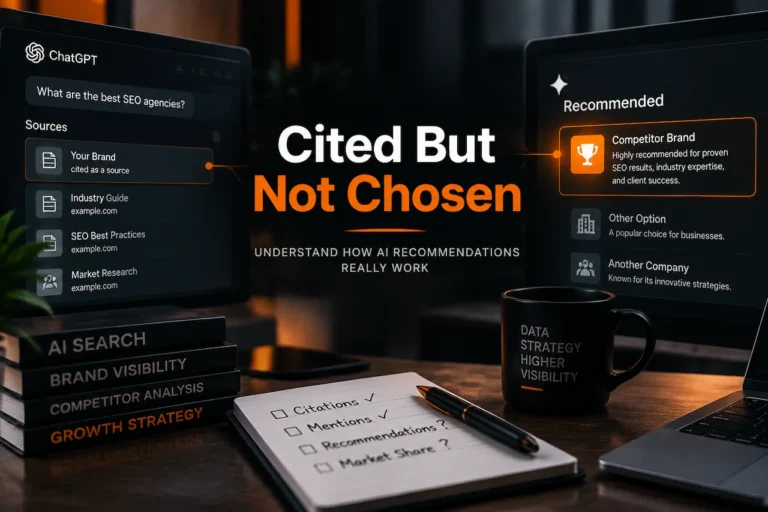

Open ChatGPT and type: “Who are the best [your service] in [your city]?” Now read the answer. If it names three competitors and not you, you have just met the problem this audit solves, and you are not alone. Plenty of businesses rank well on Google and still never appear in the answers buyers now read first.
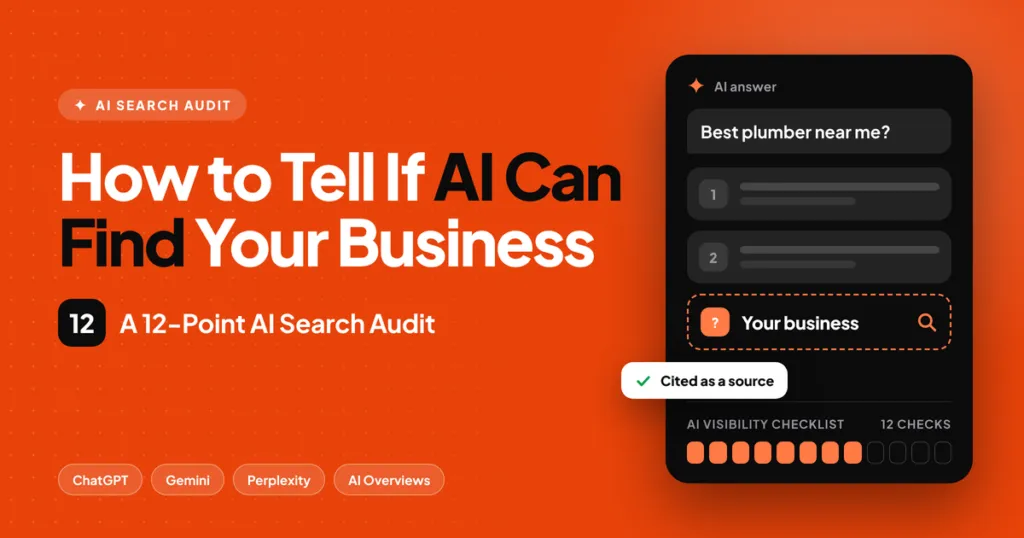
The short answer: AI can find your business when its crawlers can reach your pages, your pages give clear answers that are easy to quote, and the rest of the web describes you the same way. This audit has 12 checks that test those three things, and you can run it in about an hour with free tools. Give yourself one point for every pass, then follow the fix order at the end.
We run this exact audit as the first step of our AI search optimization services, so everything below comes from real client work, not theory.
Why audit before you change anything?
Because most AI visibility problems are not content problems. They are access problems (a firewall quietly blocks a crawler), clarity problems (the answer sits in paragraph six) or consistency problems (your phone number differs on three sites). Each needs a different fix, and guessing wastes months.
The stakes are real. Pew Research found that people clicked a regular result on 8% of Google visits that showed an AI summary, compared with 15% on visits without one. When the answer names a competitor, your link below it gets far fewer chances. If the idea of AI visibility is new to you, start with our explainer on what AI discoverability means, then come back here.
How does the audit work?
The 12 checks fall into three groups, and the order matters:
- Access (checks 1 to 3). Can AI tools reach and read your pages at all? If not, nothing else counts.
- Answers (checks 4 to 8). When they reach a page, can they lift a clear, trustworthy answer?
- Trust (checks 9 to 12). Does the wider web back you up, so AI is willing to recommend you?
You need three things: your website address, a free Google Search Console account and 60 minutes. Write down a pass or fail for each check as you go.
| # | Group | Check | How to test it | Pass if |
|---|---|---|---|---|
| 1 | Access | Crawlers allowed | Open yoursite.com/robots.txt | No rule blocks Googlebot, Bingbot, OAI-SearchBot, PerplexityBot or ClaudeBot |
| 2 | Access | Firewall and CDN | Ask your host about bot protection | Those bots get a normal page, not a 403 or a challenge |
| 3 | Access | Indexed | Search site:yoursite.com/your-service | The page shows in results and Search Console says Indexed |
| 4 | Answers | Answer first | Read the first 100 words | A direct answer appears before the story |
| 5 | Answers | Question headings | Scan the H2s | Several read like real customer questions |
| 6 | Answers | Schema | Run Google’s Rich Results Test | Organization, Service or FAQPage validates with no errors |
| 7 | Answers | Proof | Look for numbers | Stats and claims name their source |
| 8 | Answers | Speed | Run PageSpeed Insights on mobile | Largest Contentful Paint is under 2.5 seconds |
| 9 | Trust | Same facts everywhere | Compare name, address, phone and hours on 5 sites | They match exactly |
| 10 | Trust | Profiles | Check Google Business Profile and Bing Places | Both are claimed and complete |
| 11 | Trust | Outside mentions | Search your brand name | Reviews or articles on other sites describe you the same way |
| 12 | Trust | Prompt test | See check 12 below | You are named in at least 2 of 3 runs |
Part 1: Access. Can AI reach your pages?
Check 1: Are AI crawlers allowed in robots.txt?
Your robots.txt file tells bots what they may visit. Type yoursite.com/robots.txt into a browser and look for lines that start with Disallow. The crawlers that matter are Googlebot and Bingbot (the indexes behind Google AI Overviews, AI Mode and Copilot), OAI-SearchBot (OpenAI’s search crawler), PerplexityBot and ClaudeBot.
A blanket rule like the one below blocks everything, and we still find it on live sites after a staging launch:
User-agent: *
Disallow: /
If you see it, ask your developer to remove it, or replace it with rules that allow the crawlers above and block only private areas such as /wp-admin/. Our guide to allowing AI crawlers and llms.txt has the exact lines to use. One decision is yours: you may choose to block some AI bots for business reasons, but understand that a blocked crawler means no citations from that tool.
Check 2: Does your firewall or CDN block bots?
This is the sneaky one. Your robots.txt can say yes while a security layer, such as a CDN’s bot protection, says no. The bot receives an error or a verification screen and leaves. Ask your host or developer whether bot fight mode or similar settings are on, and whether the crawlers named above are allowed through. A good test is to check your server logs for requests from these bots and see whether they received a 200 (success) or a 403 (blocked).
Check 3: Is the page indexed?
Google states that a page needs no extra requirements for AI Overviews or AI Mode beyond being indexed and eligible to show a snippet. So search site:yoursite.com/your-service-page. Then open Search Console, paste the URL into the inspection bar and confirm it says the page is on Google. If it says “Crawled, currently not indexed” or “Discovered, currently not indexed”, the page is weak, duplicated or buried, and improving the content and internal links usually fixes it.
Part 2: Answers. Can AI lift a clear answer from your page?
AI tools do not read a page like a person. They search for the question and its related sub-questions, then pull out passages that make sense on their own. Google calls this behind-the-scenes searching query fan-out. Your job is to make each page easy to quote.
Check 4: Does the page answer first?
Read the first 100 words of your main service page. A visitor, and an AI tool, should find a direct statement of what you do, who it is for and where you do it before any story or slogan. A good test: copy those words into a blank note. Could someone who saw only that note answer “what does this business do and where?” If not, rewrite the opening as a plain two-sentence answer.
Before: “We believe every customer deserves a better experience.” After: “We repair and replace home air conditioning systems in Phoenix, Arizona, with same-day service on most repairs.”
Check 5: Do the headings match real questions?
People ask AI full questions, so headings phrased as questions match them: “How much does a new roof cost in Ohio?” beats “Pricing”. Scan your H2s and H3s. Aim for at least a few that read like something a customer would type, and put a short, direct answer of 40 to 60 words straight under each. To find the questions, look at Google’s People also ask boxes, your sales emails and the questions customers ask on the phone.
Check 6: Is your schema valid?
Schema is code that labels your page for machines: who you are, what you sell and which questions you answer. Paste your URL into Google’s Rich Results Test and the Schema Markup Validator. At minimum you want valid Organization data on the homepage, Service data on service pages and FAQPage data only where the questions and answers appear on the page. Mismatched or invented schema is worse than none. Our guide to optimizing for Google AI Overviews walks through the setup.
Check 7: Do your claims show their proof?
Research from Princeton and partners, presented at KDD 2024, found that adding statistics, expert quotations and cited sources improved visibility in AI answers by up to 40%, while keyword stuffing made it worse. Check your page: does it make claims such as “fast”, “trusted” or “leading” with nothing behind them? Replace each with something checkable: a number, a date, a named source, a project, a credential. “We completed 120 installations in 2025” can be cited. “We are the best” cannot.
Check 8: Is the page fast on mobile?
Speed is part of the foundation that every search system relies on. Run PageSpeed Insights on your key page and read the mobile score. The number to watch is Largest Contentful Paint, which should be under 2.5 seconds. The usual fixes are compressing images, removing heavy scripts and using a lighter theme.
Part 3: Trust. Does the web back you up?
For recommendation prompts such as “who should I hire?”, AI tools look for businesses that several independent sources describe in the same way. This is the slowest part to fix, which is why it is last.
Check 9: Are your business facts identical everywhere?
Write down your exact business name, address, phone number, hours and service area from your website. Then compare them on your Google Business Profile, Bing Places, Facebook, Yelp and one industry directory. Even small differences, such as “Street” versus “St.” or an old phone number, create conflicting facts, and AI tools may repeat the wrong one. Fix the outliers to match your website exactly.
Check 10: Are your Google and Bing profiles complete?
Google Business Profile feeds Google’s local results, and Bing Places feeds Microsoft Copilot. Confirm both are claimed, with the right category, services, photos, hours and a link to your site. For local businesses these are among the strongest signals AI assistants use, which we cover in ChatGPT local ranking factors.
Check 11: Do other sites describe you consistently?
Search your business name and read the first two pages. Look for reviews, local news, industry directories, podcast or event pages and partner sites. You want several independent mentions that say the same things about what you do. If there are only your own pages, you have a visibility gap, and the fix is earning mentions: sponsor a local event, offer expert comments to journalists, ask happy customers for detailed reviews and submit to relevant directories.
Check 12: Run the prompt test
Use three prompts, three times each, in ChatGPT and Perplexity: “Who are the best [your service] in [your city]?”, “What does [your business] do?” and “How much does [your service] cost in [your city]?” Record who is named each time. One run proves nothing, because answers vary; the pattern across nine runs does. You pass if your business is named in at least two of the three runs for the first prompt.
If a competitor is named again and again and you are not, read why ChatGPT recommends your competitor and not you.
What does your score mean?
| Score | What it means | Fix first |
|---|---|---|
| 10 to 12 | AI-ready | Track citations monthly |
| 7 to 9 | Close | Checks 4 to 8 |
| 4 to 6 | Easy to miss | Checks 1 to 3, then answers |
| 0 to 3 | Likely invisible | Access first, because blocked bots cannot cite you |
Your 30-day fix plan
| Week | Focus | Tasks |
|---|---|---|
| 1 | Access | Fix robots.txt, bot settings and indexing (checks 1 to 3) |
| 2 | Answers | Rewrite the opening of your top 3 pages; turn headings into questions (checks 4 and 5) |
| 3 | Proof and markup | Add sourced numbers, valid schema and speed fixes (checks 6 to 8) |
| 4 | Trust | Align business facts, complete profiles, request 5 detailed reviews (checks 9 to 11) |
Re-run the prompt test at the end of the month and again at 8 and 12 weeks. Citations usually take weeks, not days, and brand recommendations take months.
Four mistakes that waste months
- Chasing llms.txt first. It is an optional extra and will not rescue a site that blocks crawlers.
- Publishing many thin AI-written pages. Quantity does not create trust; specific, sourced pages do.
- Testing once. A single ChatGPT answer is not a result.
- Dropping SEO. AI is not replacing SEO; Google’s AI answers are built from pages that already rank for related searches. For the full routine, see how to rank your site in AI search engines.
Frequently asked questions
How long does the audit take? About an hour for a small site. Larger sites need a page-by-page sample.
Do I need paid tools? No. Search Console, the Rich Results Test, PageSpeed Insights and a browser are enough to run all 12 checks.
How soon will the fixes show up in AI answers? Most sites see first signs in Search Console within 4 to 8 weeks, citations in Google AI Overviews often within about 6 weeks on well-built sites, and ChatGPT or Perplexity within 8 to 12 weeks. Recommendations take 3 to 6 months. Nobody can guarantee a date.
Does this work for local businesses? Yes, and checks 9 and 10 matter most. See AI search optimization for local businesses.
Want it done for you?
Run our free AI Agent Checker for a score in under a minute, or request the free AI visibility audit on our AI search optimization page. You get a written report within 48 hours with the fixes in priority order, and we show you how we would implement them.