AI Search Optimization for ChatGPT, Gemini & Perplexity — Learn how we get you cited →

Sales & Marketing Dashboards That Show What Makes Money

Stop stitching together reports from five platforms. We build live dashboards that show leads, bookings, close rate, revenue and cost per lead from every channel in one place, in Looker Studio or inside your CRM, with a weekly snapshot in your inbox.

  • Looker Studio
  • CRM dashboards
  • Cost per lead
  • Weekly snapshot
  • Built on your own data sources
  • Numbers reconciled with your sales
  • Clear enough to read in 60 seconds
1view of every
channel
Dailyautomatic data
refresh
$cost per lead and
per customer
Weeklyemail snapshot
to your inbox
2-3weeks for most
dashboards
1,000+business audits
delivered

See what your numbers are not telling you

Enter your email and website. We look at where your leads, ad spend and sales data live today, which KPIs matter for your business and what is stopping you from seeing them clearly, then send a dashboard plan with a fixed quote. Free, in 48 hours.

  • Data sources and gaps
  • KPIs that match your goals
  • Lead-to-revenue attribution check
  • Dashboard mock-up and quote
Prefer to talk it through? Book a Strategy Call

You have more data than ever and less clarity

Google Ads says one thing, Meta another, GA4 a third, and your CRM tells a different story again. Monday mornings go into exporting spreadsheets, and the question that matters, which channel brings paying customers, still has no clear answer.

A well-built dashboard brings every source together, reconciles the numbers with your real sales and shows the few KPIs that drive decisions. You open it, you know where you stand, and you know where to put next month's budget.

Business owner presenting a sales dashboard to his team

A dashboard is only useful if it answers a decision. Ours start with the decision, not the chart.

How we design dashboards
1place to see leads, sales and spend together
0hours rebuilding the same report every Monday
Dailyautomatic refresh from every source
$true cost per lead and per customer by channel

Dashboards we build

From a one-page owner view to full sales pipeline and marketing performance reporting.

01

Owner dashboard

  • Leads, bookings and revenue
  • Close rate and average deal
  • Month vs last month and year
  • One page, readable in a minute
02

Marketing performance

  • Spend, leads and CPL by channel
  • Google, Meta, Microsoft, LinkedIn
  • Organic and AI search traffic
  • Campaign and keyword drill-down
03

Sales pipeline

  • Deals by stage and owner
  • Speed-to-lead and follow-up
  • Win rate by source
  • Forecast from pipeline value
04

Revenue attribution

  • Revenue by first and last touch
  • Cost per customer by channel
  • Return on ad spend
  • Offline sales included
05

Automated reporting

  • Weekly email snapshot
  • Monthly PDF for partners
  • Slack alerts on big changes
  • Client-ready agency reports
06

Data pipeline

  • Connectors for every source
  • Google Sheets or BigQuery
  • Cleaned and deduplicated data
  • Documented definitions

Every source, one live view

We pull data from your ad platforms, analytics, call tracking and CRM, clean and match it, and show it in a dashboard designed around the decisions you make each week.

  • Google Ads, Meta, Microsoft and LinkedIn Ads
  • GA4 and Search Console
  • Call tracking and chat leads
  • CRM deals, stages and revenue
  • Shopify or WooCommerce sales
  • Google Sheets for anything else

Sales and marketing dashboards: how to get them right

Which KPIs to show, which tool to use and why most dashboards are ignored.
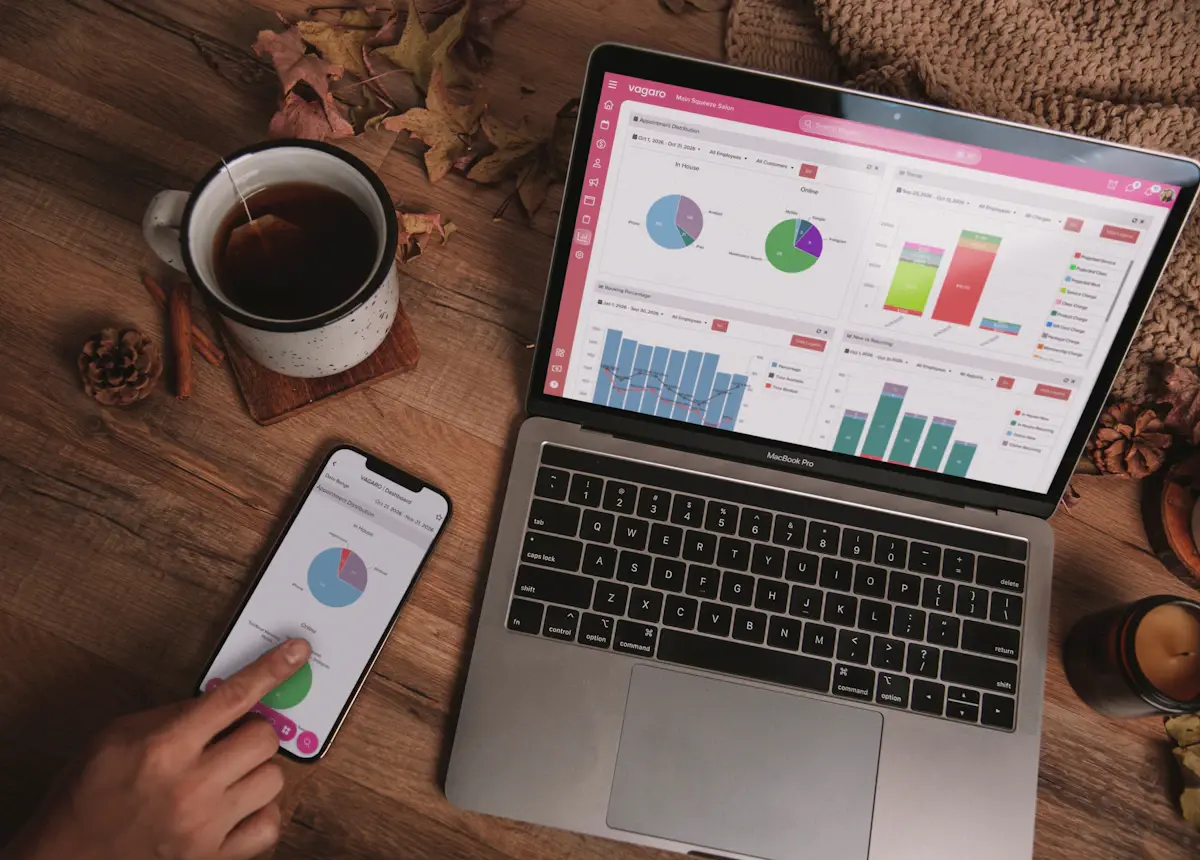
Laptop and smartphone displaying live sales dashboards
1view of every
channel

What is a sales dashboard?

A sales dashboard is a live, visual report that brings your key sales and marketing numbers into one place: how many leads came in, from where, what they cost, how many became customers and how much revenue they produced. It replaces manual spreadsheets with data that refreshes automatically.

The best dashboards are short. They answer a handful of questions clearly rather than showing every metric available.

The KPIs that actually matter

KPIWhy it matters
Leads by sourceShows which channels create demand.
Cost per leadCompares channel efficiency on equal terms.
Speed to leadSlow replies quietly kill conversion rates.
Lead-to-customer rateSeparates good leads from cheap ones.
Cost per customerThe number that should guide budget decisions.
Revenue and ROAS by channelShows what each pound, dollar or euro of spend returns.
Pipeline value and forecastShows what is coming, not just what happened.

Looker Studio, CRM dashboards or BI tools?

  • Looker Studio (formerly Google Data Studio) is free, flexible and ideal for combining ad platforms, GA4, Search Console and Sheets. It is our default for marketing dashboards.
  • CRM dashboards in HubSpot, GoHighLevel or Pipedrive are best when the sales team lives in the CRM and needs pipeline and activity views.
  • Power BI or BigQuery make sense for larger data volumes, many locations or finance-grade reporting.

Many clients use two: a Looker Studio owner dashboard for the big picture and CRM views for the sales team.

Why numbers do not match, and how we fix it

Every platform counts differently. Ad platforms claim conversions, analytics records sessions and the CRM records real deals. Without clean conversion tracking and a source recorded on every lead, a dashboard simply shows the confusion more beautifully.

Before we design charts, we fix tracking gaps, agree definitions (what counts as a lead, a qualified lead, a customer) and reconcile the totals with your actual sales. That is what makes the dashboard trusted enough to act on.

Getting your team to actually use it

  • Start with the five numbers the owner checks first.
  • Use the same definitions in every meeting.
  • Send a weekly email snapshot so nobody has to log in to stay informed.
  • Add alerts for big changes rather than more charts.
  • Review the dashboard together monthly and remove anything unused.

Is a sales dashboard right for you?

If you spend on marketing or manage a sales team, a dashboard pays for itself in better decisions.

A great fit if you

  • Run ads on more than one platform
  • Build reports manually every week or month
  • Cannot say which channel brings paying customers
  • Manage a sales team or several locations
  • Report results to partners, investors or clients

Probably not yet if you

  • Have no tracking on leads or sales yet
  • Get very few leads from one channel only
  • Do not record leads in any system
  • Need accounting reports rather than sales data
  • Will not review the numbers regularly

Dashboards by business type

Designed around how each business makes money.

Local service businesses

  • Calls, forms and booked jobs
  • Cost per booked job by channel
  • Revenue by service and area

eCommerce

  • Revenue, orders and AOV
  • ROAS by channel and campaign
  • New vs returning customers

B2B and SaaS

  • MQLs, SQLs and pipeline
  • Win rate by source
  • Sales cycle length

Multi-location brands

  • Leads and sales per location
  • Local search and Maps results
  • Location league tables

Agencies

  • White-label client reports
  • Multi-client overview
  • Automated monthly delivery

SEO and AI search

  • Search Console clicks and queries
  • AI search referral traffic
  • Rankings tied to leads
Data sources we connect
  • Looker Studio
  • Google Ads
  • Meta Ads
  • Microsoft Ads
  • LinkedIn Ads
  • GA4
  • Search Console
  • HubSpot
  • GoHighLevel
  • Pipedrive
  • Shopify
  • WooCommerce
  • CallRail
  • Google Sheets
  • BigQuery

How we build your dashboard

Questions first, then data, then design.

  1. 1Week 1

    KPI workshop

    We agree the decisions the dashboard must support, the KPIs and the definitions.

  2. 2Week 1-2

    Data connection

    We connect and clean each source and fix tracking gaps that would distort the numbers.

  3. 3Week 2-3

    Design and reconcile

    We build the views, reconcile totals with your real sales and refine with your feedback.

  4. 4Ongoing

    Automate and evolve

    We set up email snapshots and alerts, and add views as your business grows.

What drives the cost

A fixed quote based on sources, views and data clean-up.

Number of data sources

Two or three sources with native connectors is quick. Many sources, custom APIs or offline data take longer.

Number of views

A one-page owner dashboard is a small build. Separate marketing, sales and location views add design time.

Data quality

If tracking or CRM data needs fixing first, we include that work so the dashboard can be trusted.

Looker Studio is free. Some third-party connectors or BigQuery have small monthly fees, paid directly by you.

Live dashboard vs manual reports

Same data. Very different speed, accuracy and usefulness.

Dexora sales dashboards compared with manual spreadsheet reports and platform-native reports
What you getDexora dashboardManual spreadsheetsEach platform's own report
All channels in one viewYesAfter hours of workNo
Updates automaticallyDaily or fasterWhen someone has timePer platform
Matches your real salesReconciledError-proneEach claims credit
Cost per customerBuilt inHard to calculateNo
Weekly email snapshotAutomaticManualSeparate emails
Time to readAbout a minuteLongMany logins

Trusted by 500+ businesses

From engineering firms and law practices to eCommerce brands and local service companies.

What business owners say about us

Trusted by businesses across the United States, United Kingdom, Australia, Canada and Finland.

"Dexora Digital took over our SEO, website development, and digital marketing in early 2025 and delivered outstanding results. The new pages they created are professionally designed, SEO-focused, and highly effective at converting visitors into quality leads. Our content now generates over 8,000 AI citations per month."

Sonny Patel
Sonny Patel PECEO, Keentel Engineering

"Great experience from start to finish. The quality of the monthly local SEO, GEO, and AEO work is outstanding, and everything is handled with care and expertise. Communication is clear and professional. I genuinely enjoy collaborating with them and appreciate their long-term, results-driven approach. Highly recommended."

Julie Slagt
Julie SlagtAlpha Strategies Agency

"It is a pleasure to work with them. They are very knowledgeable and responsive. They did great job on our website redesign and AI search optimization."

Vince Sebald
Vince SebaldFounder & CEO, GxPReady

"Working with Taqweem has been a pleasure. He and his team are thoughtful and responsive about how they develop sites. Communication is continuous, and he listens intently. He is comfortable offering suggestions that enhance your ideas without increasing cost."

Tim Simon
Tim SimonSimons Group LLC

"I've been working with this team for about a year now. Every time I do a project they are responsive, respectful and deliver high quality work. I would recommend them to anyone needing their services."

Matt Mankse
Matt Mankse4BSF

"Exceptional service delivery and knowledge. I can highly recommend Dexora Digital SEO services. They developed the website for me and are now managing SEO with exceptional progress."

Richard Lloyd
Richard LloydMid-Century Furniture Restoration

"Professional, responsive, and highly knowledgeable. Dexora explained everything clearly and delivered exactly what was promised. Because of the experience, we moved forward with ongoing SEO services."

SKY
SKYLegend Movers 4 You

"They did an excellent job with my SEO. He clearly explained what he was doing, why it mattered, and delivered everything on time. The improvements he made were detailed and practical."

Nichol
NicholCedar Street Training

"I got a result that far exceeded my expectations, and I want to thank the team very much. They worked meticulously and understood our needs, delivering exactly what we wanted. I definitely recommend them."

Mehmat
MehmatCapital Kitchen & Bath

"I’m extremely impressed with the SEO work delivered. They were knowledgeable, responsive, and provided clear insights into how to improve our site ranking. They performed a detailed audit, optimized key pages, and gave actionable recommendations that actually made a difference."

Sandip Patel
Sandip PatelKeentel Engineering

"Professional, and he took his time to explain insights clearly."

Mixene
MixeneOne Way Cleaning

"Very thorough work with research and implications. Clear and concise formatting."

Michlic
MichlicFinnish Touch Enterprises

"Excellent customer service, great work. I will definitely use him again."

Teddy
TeddyTeddy’s Total Body

"Awesome team."

Matevesi
MatevesiPro Site Plans

Sales dashboard FAQs

Tools, data sources, accuracy, cost and maintenance.

The Dexora Digital team at work
Question not answered here?Email ahmad@dexoradigital.com, we reply to every message.
What should a sales dashboard include?
At minimum: leads by source, cost per lead, lead-to-customer rate, cost per customer and revenue by channel, plus pipeline value if you have a sales team. We agree the exact KPIs with you based on the decisions you make.
Should I use Looker Studio or my CRM for dashboards?
Looker Studio is best for combining marketing data from many platforms and is free. CRM dashboards are best for pipeline and sales activity. Many businesses use both: one owner view and one sales team view.
Can you combine Google Ads, Meta and CRM data in one dashboard?
Yes. We connect ad platforms, GA4, Search Console, call tracking, eCommerce and CRM data, clean and match it, and show it together.
Why do my platforms show different numbers?
Each platform uses its own attribution and counting rules. We fix tracking gaps, agree definitions and reconcile totals against your real sales so the dashboard reflects reality.
How often does the data update?
Most sources refresh daily or more often. We can also email a weekly snapshot and send alerts when key numbers change sharply.
How much does a sales dashboard cost?
It depends on the number of data sources, views and any data clean-up required. You get a fixed quote after a free reporting audit. Looker Studio itself is free.
Who owns the dashboard?
You do. We build it on your Google or CRM account and document every data source and definition.

Know what is working. Every Monday morning.

Start with a free reporting audit. We will map your data, agree the KPIs that matter and show you a dashboard plan with a fixed quote.

ahmad@dexoradigital.com+1 (385) 885-5362USA · UK · Australia · Canada · Finland
Hi, I'm Dex Questions about SEO, AI search or your website? Ask me anything, or book a free strategy call with Taqweem.