

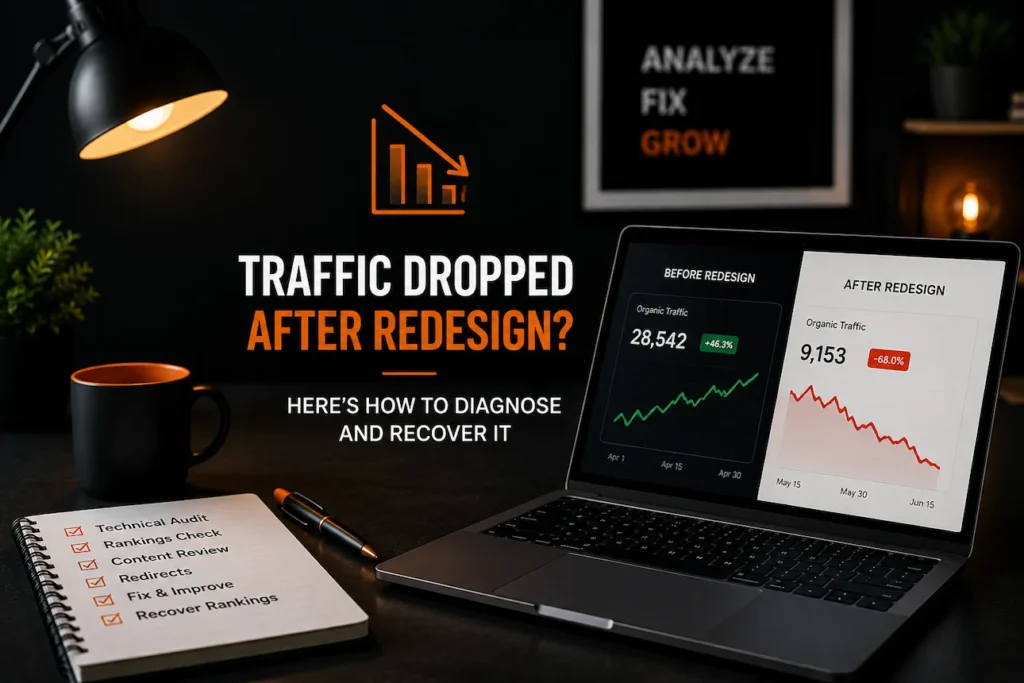
When SEO traffic dropped after redesign work, the redesign itself is an obvious suspect. However, blaming the new site too quickly can lead to the wrong fixes. Organic traffic can fall because of seasonality, a Google algorithm update, tracking problems, lost rankings, weaker content, broken redirects, or several issues happening at the same time.
At Dexora Digital, I prioritize diagnosis before correction. A website redesign changes much more than colors and layouts. URLs, headings, internal links, schema markup, content depth, page speed, canonicals, navigation, and crawl paths can all change during the same launch. The fastest route to recovery is to identify exactly which search signals were weakened and repair them without introducing another round of unnecessary changes.
How to Confirm It Is Actually the Redesign
The timing of a traffic decline is important, but timing alone does not prove causation.

If organic traffic fell immediately after launch, the website redesign deserves investigation. However, Google recommends examining other explanations for search traffic drops, including algorithm updates, seasonality, changing search demand, technical problems, and site migrations. Search Console and Google Trends are particularly useful for separating site specific losses from broader market changes.
Start by establishing an accurate before and after timeline.
Identify the redesign launch date. Then compare organic performance for at least four weeks before launch with the first four weeks after launch. For seasonal businesses, compare the same period with the previous year as well.
The question is not simply whether traffic went down.
The better question is what changed at the exact moment performance changed.
A website redesign migration SEO checklist is useful before launch, but once performance has already fallen, the investigation needs to move from prevention to recovery.
Start With Google Search Console
Analytics tells you what visitors did after arriving.
Google Search Console shows what happened in Google Search.
That distinction matters because analytics implementation can break during a redesign even when actual rankings remain stable.
Tracking code may disappear from templates. Consent settings may change. Events may stop firing. A new analytics property may be created incorrectly.
The reporting system can therefore show a dramatic decline even when Google visibility has barely changed.
Search Console helps verify whether the loss is real.
Compare clicks, impressions, average position, and query level performance.
If analytics reports a fifty percent organic decline but Search Console clicks remain relatively stable, investigate measurement first.
If both clicks and impressions fall, the problem is more likely to involve search visibility or reduced demand.
If impressions remain stable but clicks decline, examine ranking movement, title changes, search result features, and click through rate.
If impressions and rankings remain stable but conversions decline, the issue may be conversion related rather than an SEO problem. A website traffic no leads diagnosis is more appropriate in that situation.
Compare the Decline With the Launch Date
A redesign related problem often leaves a recognizable pattern.
Rankings may fall within days of launch.
Traffic may decline gradually as Google crawls changed pages.
Specific directories may lose visibility while unaffected sections remain stable.
Old URLs may disappear before replacement URLs gain similar visibility.
Google explains that major site moves can create temporary ranking fluctuations while its systems recrawl and reindex changed URLs. For medium sized websites, this process can take a few weeks or longer depending on factors such as URL volume and server performance.
Temporary movement therefore does not automatically mean the migration failed.
The warning sign is persistent deterioration combined with identifiable technical or content problems.
Check Whether a Google Algorithm Update Overlapped
A redesign can launch during a Google algorithm update by coincidence.
When that happens, the two events can become difficult to separate.
Compare official Google update dates with your redesign date.
Then segment the decline.
If the entire site lost visibility across unrelated templates, broader algorithmic reassessment may be involved.
If only redesigned templates and changed URLs lost rankings, the redesign becomes the stronger suspect.
If the decline started before launch, the redesign cannot logically be the original cause.
Understanding how Google algorithm systems evaluate pages is useful here because ranking changes are rarely explained by one signal alone. Google’s ranking systems use many page level and site wide signals when determining search results.
Rule Out Seasonality and Demand Changes
Suppose a swimming pool company redesigns its website in September and organic traffic falls during October.
The redesign may have caused the decline.
Seasonal demand may also have fallen.
Compare important search queries in Google Trends.
Google specifically recommends using Trends to determine whether traffic changes reflect wider interest changes rather than a problem affecting only one website.
A recovery campaign should not attempt to recover traffic that disappeared simply because fewer users were searching.
Follow This Redesign Diagnostic Decision Tree
Move through these questions in order:
- Did Google Search Console clicks decline, or only analytics sessions?
- Did the decline begin on or immediately after the redesign launch?
- Did impressions decline across the same pages that changed?
- Were important URLs removed, renamed, consolidated, or redirected?
- Did a confirmed Google update overlap with the decline?
- Did search demand for important queries fall across the wider market?
- Did rankings fall across the whole domain or mainly redesigned templates?
- Are affected pages still indexed under the expected canonical URLs?
- Did the redesign remove meaningful content or internal links?
- Did page performance deteriorate after the new design launched?
If Search Console visibility fell at the same time as the redesign and losses are concentrated around changed URLs or templates, move into technical diagnosis.
If search demand fell across the market, the redesign may not be the primary cause.
If only analytics sessions declined, repair measurement first.
If rankings and impressions declined after changes to URLs, navigation, content, canonicals, or templates, treat the redesign as the leading cause until evidence shows otherwise.
A website redesign SEO guide can help explain the relationship between design decisions and search architecture, but post launch recovery requires a deeper page by page comparison.
The Five Most Common Redesign Casualties
Most post redesign SEO losses do not come from one mysterious algorithm reaction.
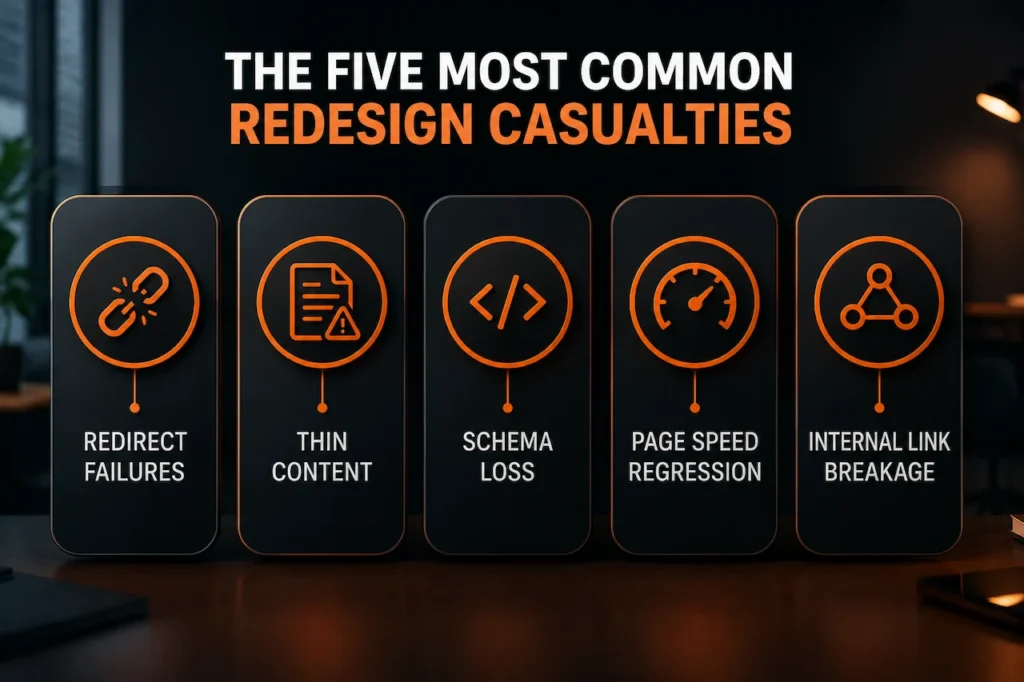
They usually come from specific assets that existed before launch and were weakened, removed, or disconnected during the rebuild.
The five problems I see most often are redirect failures, thin content, schema loss, page speed regression, and internal link breakage.
These problems can occur independently, but the most severe redesign losses usually involve several at once.
Redirect Failures
Redirect mistakes are among the most damaging redesign problems because URLs accumulate search value over time.
A strong URL may have backlinks, internal links, ranking history, citations, and years of indexation associated with it.
If the redesign changes that URL without mapping it correctly to the relevant replacement, Google and users encounter a broken path.
Google recommends server side permanent redirects when URLs move permanently. It also recommends mapping old URLs to relevant new destinations rather than sending many unrelated pages to one generic destination.
Imagine an old website had separate pages for roof repair, roof replacement, commercial roofing, emergency roofing, and several locations.
The redesigned site combines everything into one generic roofing page.
The new design looks cleaner.
From an SEO perspective, several distinct search intents may have disappeared.
If every old page redirects to the homepage, the migration becomes even weaker.
Google specifically advises avoiding unnecessary redirect chains and recommends sending users and crawlers directly to the final destination wherever possible.
What to Check During the Redirect Review
Build a complete list of important pre redesign URLs and test every one.
Check for:
- Old URLs returning errors instead of redirects
- Important URLs redirecting to irrelevant pages
- Multiple unrelated pages redirecting to the homepage
- Temporary redirects where a permanent move was intended
- Redirect chains passing through several URLs
- Redirect loops
- Internal links still pointing to redirected URLs
- Canonical tags pointing to old or removed URLs
A browser eventually reaching a working page does not automatically mean the redirect implementation is correct.
Relevance matters.
If an old emergency plumbing page redirects to a generic homepage, the search intent has changed significantly.
A stronger recovery strategy is to recreate an equivalent emergency plumbing page or redirect the old URL to the closest genuine replacement.
Thin Content After the Redesign
Design teams often improve visual clarity by reducing text.
Sometimes that is beneficial.
Sometimes they remove the exact information that helped the page rank.
A service page that previously contained detailed explanations, pricing factors, FAQs, geographic context, process information, examples, and supporting evidence may be reduced to a hero section, three cards, and a contact form.
The page can look modern while becoming substantially weaker from an information standpoint.
This problem is common when design teams treat SEO content as visual clutter rather than part of the user journey.
The correct response is not to restore every old sentence automatically.
Compare the old and new page.
Determine what information disappeared.
Then ask whether that information helped users understand the service, compare options, solve a problem, or make a decision.
If useful information disappeared simply to make the page shorter, restore its value in a better structured format.
This is also where understanding on page vs off page vs technical SEO becomes important. A redesigned page can remain technically crawlable while losing the topical relevance that previously supported its rankings.
If you are asking why your website is not ranking on Google after a redesign, content reduction should be one of the first areas investigated.
Schema Loss
Structured data can disappear silently during a website rebuild.
The previous theme or SEO plugin may have generated Article, Breadcrumb, Organization, LocalBusiness, Product, Service, or other structured data.
A custom redesign may replace the system that generated that markup.
Visually, nothing appears broken.
From a machine readable perspective, however, the page has changed.
Schema loss does not automatically explain every ranking decline.
Google states that structured data is primarily used to make pages eligible for supported rich search features. Even correctly implemented structured data does not guarantee those features will appear.
Still, schema markup for SEO should not disappear accidentally when it accurately represents the content.
Compare the old implementation with the new one.
Check important templates.
Look for missing breadcrumb markup, organization information, article properties, product data, and other structured data that was intentionally part of the previous setup.
Do not respond by adding every available schema type.
Restore only structured data that accurately represents visible page content.
A technical SEO guide can help teams understand how schema, canonicals, crawlability, and indexation fit into the wider technical framework.
Page Speed Regression
Redesigns often add visual complexity.
Large hero videos, animation libraries, custom fonts, sliders, tracking scripts, third party widgets, oversized images, and heavy page builders can all affect performance.
The redesigned website may look more premium while loading substantially more slowly.
Google’s current Core Web Vitals guidance measures real world loading performance, responsiveness, and visual stability through Largest Contentful Paint, Interaction to Next Paint, and Cumulative Layout Shift. Google recommends achieving good Core Web Vitals, but also makes clear that strong scores do not guarantee high rankings.
That distinction matters.
A decline from excellent performance to poor performance does not automatically mean Google will remove the page from page one.
However, a severe regression can hurt user experience and contribute to weaker overall performance when combined with other redesign issues.
Measure affected templates rather than relying on the homepage alone.
A homepage can pass Core Web Vitals while important service pages fail.
The objective is not a perfect laboratory score.
The objective is a fast, responsive, stable experience for real users.
Technical SEO is the foundation of long term search success when it ensures that good content remains accessible, crawlable, indexable, and usable.
Internal Link Breakage
Internal links are frequently underestimated during redesigns.
Navigation changes.
Footer links disappear.
Related content modules are removed.
Breadcrumb structures change.
Service hubs are rebuilt.
Contextual links inside older content may disappear.
Important pages can suddenly receive far fewer internal links than before.
Google uses links to discover pages and as a signal for understanding relevance. Google also recommends descriptive and contextually useful anchor text.
Imagine a service page previously received internal links from the homepage, navigation, location pages, supporting articles, breadcrumbs, and related services.
After redesign, the only remaining route is a dropdown menu.
The URL still exists.
Its content may even remain unchanged.
Its position within the site’s information architecture has changed substantially.
A proper internal linking SEO guide should therefore be part of any redesign workflow.
If possible, compare old and new crawl data.
Look for orphan pages, increased crawl depth, missing contextual connections, lost breadcrumbs, and important pages receiving fewer internal links.
The 30 Day, 60 Day, and 90 Day Redesign Recovery Timeline
There is no universal redesign recovery timeline.
Google does not promise that rankings return after thirty, sixty, or ninety days.
Recovery depends on what changed, how quickly problems are corrected, how often affected pages are crawled, site size, competition, backlinks, and whether replacement pages still satisfy the original search intent.
Google explains that significant site moves can create temporary ranking fluctuations while new URLs are discovered and processed. Small and medium websites may take a few weeks for most migrated URLs to be processed, while larger websites can take longer.
The first ninety days should therefore be treated as a recovery framework rather than a guarantee.
First 30 Days: Stop the Technical Loss
The first month should focus on objective migration mistakes.
This is not the time to rewrite the entire website.
Fix high confidence problems first.
During the first thirty days:
- Validate the redesign date against Search Console losses
- Compare old and new URL inventories
- Repair missing or irrelevant redirects
- Check canonicals, noindex directives, robots rules, and sitemap URLs
- Restore accidentally removed high value content
- Review schema implementation across important templates
- Repair major internal linking gaps
- Measure Core Web Vitals on affected templates
- Submit an accurate sitemap after structural fixes
- Inspect strategically important URLs in Search Console
Google recommends updating internal links, submitting the new sitemap, monitoring Search Console, and ensuring redirects correctly map moved URLs.
By the end of the first month, the website should be technically coherent.
Do not judge progress only by total traffic.
Look for leading indicators.
Replacement URLs should begin appearing in the index.
Google should select the intended canonical URLs.
Old URLs should gradually leave search results where appropriate.
Impressions may begin stabilizing before clicks fully recover.
Server errors should decrease.
These signals tell you whether Google’s systems are processing the repair.
A full SEO audit is not always necessary during this first stage if the cause is already obvious.
Around 60 Days: Evaluate Visibility Recovery
By the second month, enough information usually exists to compare affected URL groups more meaningfully.
Separate pages according to the issue that was corrected.
Compare pages where redirects were repaired with pages where content was restored.
Compare pages where internal links were rebuilt with pages where only performance was improved.
Then examine impressions, clicks, and average positions.
If a page had strong historical rankings and the redesign broke its URL mapping, meaningful improvement may appear once Google processes the corrected redirect and replacement page.
If the redesign substantially changed the page’s content or intent, recovery may take longer because Google is evaluating a different page.
This distinction is critical.
A migration error can often be fixed technically.
A page that no longer deserves its previous ranking needs substantive improvement.
At this stage, compare the redesigned page with the queries it historically ranked for.
Ask whether the current page still satisfies those searches.
If not, strengthen it.
Do not blindly restore the previous design.
Restore the lost information value while preserving genuine user experience improvements.
Topical authority also matters. A redesign that removes supporting articles, hubs, or related pages can weaken the contextual ecosystem around important commercial pages.
Around 90 Days: Decide Whether the Problem Is Bigger
By approximately three months, there should be enough evidence to identify which URLs are recovering and which remain persistently weak.
Ninety days is not a Google deadline.
Google notes that some site changes may show effects within days while others can take several months.
Investigate persistent losers individually.
If redirects are correct, indexing is clean, content quality has been restored, internal links are healthy, and performance is acceptable but rankings remain far below previous levels, the redesign may not be the entire explanation.
Competition may have improved.
Search intent may have shifted.
A Google algorithm reassessment may have occurred.
The old page may have had stronger backlinks or internal prominence.
Important content may still be missing.
External links may point through inefficient redirect chains.
At this stage, move from migration repair into broader SEO analysis.
A complete SEO audit should evaluate technical SEO, content quality, authority, crawlability, indexation, internal linking, and page level search performance together.
The three pillars of SEO become especially useful at this stage because persistent recovery problems are rarely explained by technical factors alone.
When to Escalate to a Technical Audit
Not every traffic decline requires a full technical SEO investigation.
If one important redirect was missing and repairing it solves the issue, the cause is known.
Escalation becomes necessary when the decline is broad, persistent, difficult to isolate, or connected to multiple systems.
A redesign can create several problems simultaneously.
URLs may change while old canonicals remain.
Navigation may change while content becomes thinner.
Schema may disappear while Core Web Vitals regress.
Pages may accidentally retain noindex directives from staging.
Individually, each problem looks manageable.
Together, they can create a substantial visibility decline.
Escalate When You See These Signals
A deeper technical audit is justified when:
- Organic visibility remains materially lower after obvious migration problems have been corrected
- Dozens or hundreds of old URLs have no appropriate replacement
- Important pages remain missing from Google’s index
- Google selects unexpected canonical URLs
- Internal linking changed substantially across major templates
- Structured data or metadata disappeared across important sections
- Core Web Vitals deteriorated sharply after launch
- Server errors or crawl errors increased after migration
- Rankings disappeared across unrelated keyword groups
- Developers cannot provide reliable old to new URL mapping
- Traffic continues falling without signs of stabilization
- The team cannot determine whether the problem is technical, content related, or algorithmic
A proper audit should not simply generate hundreds of warnings.
It should connect technical evidence to the actual visibility loss.
If twenty commercially important URLs were redirected incorrectly, those redirects receive priority.
If rankings remain stable but conversions collapse, search visibility may not be the primary problem.
If only one page template loses rankings, investigate what changed in that template.
If the whole domain declines during a major Google update, broaden the assessment.
This prioritization prevents teams from spending weeks fixing minor warnings while the actual migration problem remains unresolved.
For complex redesign losses, technical SEO services should include crawl diagnostics, indexation analysis, redirect mapping, canonical review, site architecture analysis, Core Web Vitals, structured data checks, and historical performance comparison.
An SEO audit tool can help uncover obvious problems, but complex migrations often require interpretation rather than automated scoring alone.
Frequently Asked Questions
Why did my SEO traffic drop after a website redesign?
A redesign can reduce organic traffic when URLs, redirects, content, internal links, canonicals, schema, navigation, or page performance change. However, not every decline is caused by the redesign. Compare the launch date with Search Console data, Google updates, and seasonal demand before deciding what caused the loss.
Are ranking fluctuations normal after a website redesign?
Yes, particularly when URLs changed. Google says significant site changes can cause temporary ranking fluctuations while affected URLs are recrawled and reindexed. Processing speed varies according to site size, crawl activity, and server performance.
How long does SEO recovery take after a redesign?
There is no guaranteed redesign recovery timeline. Some technical corrections can begin showing improvement within days or weeks. Larger migrations and broader content reassessments can take longer. Google notes that the impact of some site changes can require several months to become clear.
Can missing redirects cause rankings to disappear?
Yes. When a strong URL is removed without an appropriate permanent redirect to a relevant replacement, users and search engines lose the expected route to that content. Google recommends permanent server side redirects when content permanently moves.
Should every old URL redirect to the homepage?
No. Redirect each old URL to the closest relevant replacement when one exists. Sending many unrelated URLs to a generic homepage weakens relevance and creates a poor user experience.
Can removing content during redesign hurt SEO?
Yes. Removing unnecessary content may improve a page, but removing useful information that supported search intent can weaken relevance. Compare the previous and current versions to identify whether meaningful information disappeared.
Does losing schema after redesign cause ranking loss?
Not automatically. Structured data primarily supports eligibility for certain search features. Google does not guarantee rich results even when schema is correct. However, accurate structured data should not disappear accidentally during a redesign.
Can a slower redesigned website lose rankings?
Page performance can contribute to overall page experience. Google uses Core Web Vitals within its ranking systems but makes clear that strong scores alone do not guarantee high rankings. Severe performance regression should still be corrected because it affects users and can compound other SEO weaknesses.
How do broken internal links affect redesign recovery?
Internal links help Google discover pages and understand relationships across a website. When a redesign removes important navigation, breadcrumbs, contextual links, or content hubs, key pages can become harder to discover or less prominent within the site architecture.
Should I restore the old website if rankings drop?
Usually not immediately. First identify what actually broke. A full rollback can reintroduce old technical problems and remove legitimate design improvements. Correct redirects, indexing, content, internal linking, schema, and performance issues first.
When should I hire a technical SEO specialist after a redesign?
Escalate when the decline affects many pages, persists after obvious errors are repaired, or involves complicated issues such as canonical conflicts, large redirect mappings, JavaScript rendering, indexation problems, architecture changes, major performance regressions, or unexplained site wide ranking losses.
Recover Your SEO Visibility After a Website Redesign
A redesign should improve your website, not erase years of search visibility.
If your rankings or organic traffic declined after launch, the first priority is finding exactly what changed. Guesswork usually creates more problems. A structured diagnosis can reveal whether the loss came from redirects, indexing, content reduction, internal links, page speed, schema, or a broader search change.
Dexora Digital helps businesses diagnose complex redesign and migration losses through evidence driven technical SEO analysis. We compare historical performance, old and new URL structures, crawl behavior, indexation, redirects, content, internal links, Core Web Vitals, and search visibility to identify the issues most likely responsible for the decline.
If your redesigned website has not recovered, the next step is not another redesign. It is a focused technical investigation and a prioritized recovery plan.